Can a Business WhatsApp Account Be Shared Across Multiple Employees?
Can a Business WhatsApp Account Be Shared Across Multiple Employees?
Let's cut straight to the answer: yes, a business WhatsApp account can be shared across multiple employees—but not by simply handing out the same login credentials to everyone on the team. A mistake I see constantly with cross-border business owners: Employee A logs in, Employee B gets kicked out instantly, customer conversations go dark, and sometimes the account gets flagged and banned altogether. In this guide, I'll walk through how multi-user access actually works on WhatsApp and the practical setup options available.
Why "Just Share the Account" Never Works on WhatsApp
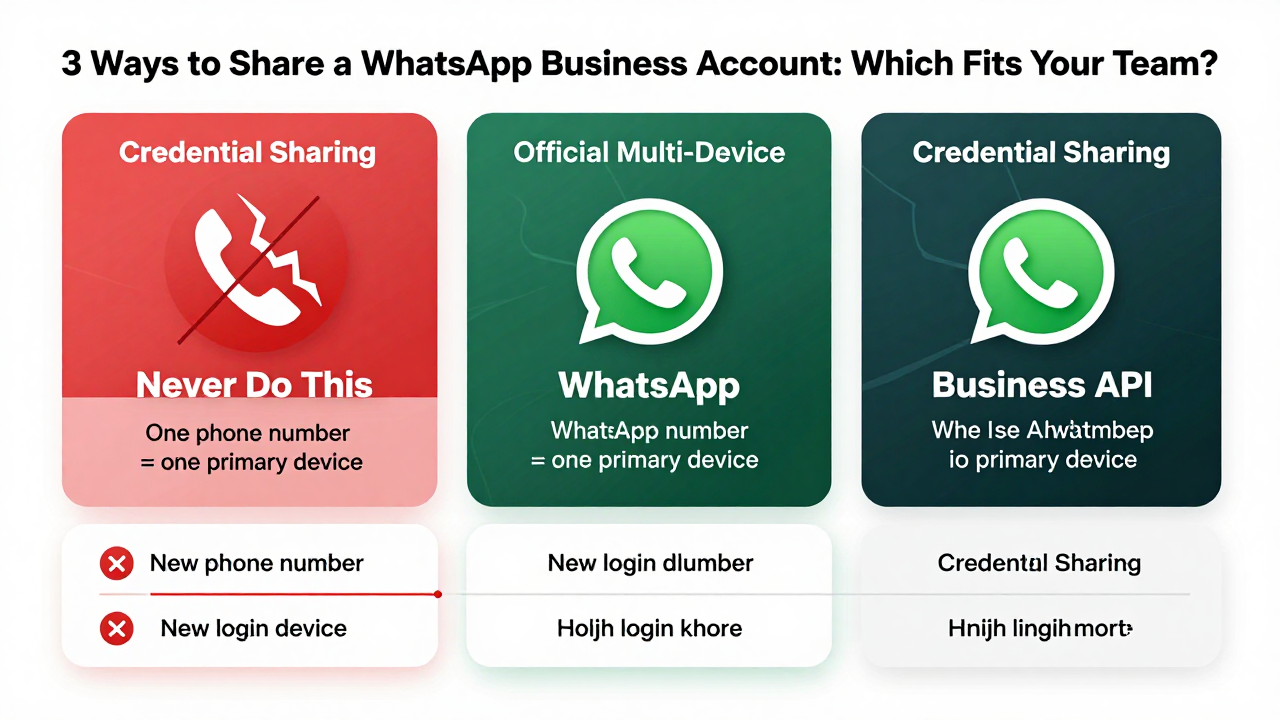
WhatsApp ties every account to a phone number plus a device fingerprint. The same number can only be active on one "primary device" at a time. Early on, people assumed WhatsApp Web meant multiple simultaneous logins—but it's really just a mirror. The moment your phone loses connection, every web session dies with it.
From what cross-border sellers tell me, the login restriction isn't actually the biggest headache—it's the ban risk. Logging into the same account from different IPs, switching between devices constantly, or bouncing between login and logout within a short window all trigger WhatsApp's anomaly detection. At best, you'll face a verification prompt. At worst, a permanent ban that wipes out your entire customer base overnight.
So, can a business WhatsApp account be used by multiple employees? Under WhatsApp's native rules, the answer is "yes, with conditions." But it requires a proper setup—not careless credential sharing.
Official Multi-Device Support: More Flexible Than You'd Think, But Still Limited
WhatsApp expanded its multi-device support in 2023, allowing one primary account to stay logged in on up to four devices simultaneously, each sending and receiving messages independently. One important note: "devices" here means a mix of phones, tablets, and computers—not four separate phone numbers.
In practice, here's how many teams are using this today:
- The main account stays logged in on a dedicated office phone that runs 24/7;
- Up to three employees scan the QR code to log in via WhatsApp Web or the desktop app;
- Everyone sees the full chat history and can reply independently.
On the surface, this looks like a workable setup. But the downsides become obvious fast: if an employee leaves and nobody manually revokes their device access from the backend, they can still read every customer conversation. And since all messages share the same read receipts, customers have no idea who they're actually talking to—it's a fragmented experience all around.
Industry consensus: official multi-device works fine for a 2–3 person team in a pinch. But once you hit five or more people—or you need clear separation between pre-sales and after-sales roles—this setup falls apart.
WhatsApp Business API: The Compliant Path to Real Multi-User Collaboration
If your team has more than five people, or you need to route customers to specific employees based on tags or queues, the WhatsApp Business API is the way to go. This is WhatsApp's official solution for businesses, built on a simple principle: one number, multiple agent seats.
Here's what makes the API approach genuinely different:
- Incoming customer messages are automatically assigned to the right employee based on rules you define;
- Each employee logs into their own dashboard—no interference, and chat histories stay isolated;
- You get access to chatbots, keyword-based routing, and customer tagging;
- No risk of triggering bans from device switching—account stability is far better than manual logins.
Of course, the API isn't free. It requires approval through a solution provider, and there are genuine vetting requirements. Many cross-border companies stall at the "how do we even get connected" stage, which is why a whole ecosystem of managed service providers has emerged.
From my experience, platforms like Getfollow have built a solid reputation in this space precisely because they follow this compliant operating model—handling API onboarding, employee sub-account creation, and message routing configuration for you. The real value these providers offer is turning WhatsApp's dense technical documentation into a usable dashboard, so business owners who aren't technical can get up and running without a developer on staff.
Back to the original question—can a business WhatsApp account be used by multiple employees? Under the API framework, absolutely. And honestly, it's the only setup that scales properly.
Which Multi-User Setup Fits Your Team Size?
Based on the businesses I've worked with, here's a practical reference matrix:
| Team Size | Recommended Setup | Cost Range | Best For |
|---|---|---|---|
| 1–2 people | Official multi-device (phone + desktop) | Free | Solo operators, light consulting |
| 3–5 people | Official multi-device + fixed shift schedule | Free | Small studios with moderate message volume |
| 5–10 people | WhatsApp Business API | Usage-based pricing | Cross-border ecommerce support teams, DTC after-sales |
| 10+ people | API + CRM integration | Medium to high | Scaled operations that need data retention |
A common pattern I see: teams stuck at the 3–5 person stage. Official multi-device feels chaotic, but jumping straight to the API feels expensive and intimidating. If you're in this spot, start by measuring your actual inbound message volume. Under 50 messages a day? Multi-device plus a simple shift rotation will hold up fine. Over 100? Start planning your API migration sooner rather than later.
Honest Advice on Choosing a Service Provider
I've watched too many businesses pay tuition fees to bad providers in this space. Some take your money, add you to a group chat, and disappear. Others treat API integration like a black box—when something breaks, there's no way to troubleshoot. When evaluating a provider, I look for three things:
First, will they show you a recorded demo of their actual backend? Second, is there a clear refund policy if onboarding fails? Third, how granular is their employee permission control? The reason platforms like Getfollow keep coming up in conversations is that they handle permissions properly—admins can restrict each employee to only see conversations assigned to them, rather than giving everyone full access to everything.
But let's be honest: tools are just tools. Can a business WhatsApp account be used by multiple employees? Technically, that stopped being the bottleneck years ago. The real constraint is whether your team has a clear service workflow. Who handles first response? Who follows up on leads? Who owns after-sales? If those roles aren't defined, no tool in the world will fix the chaos.
One last detail most business owners overlook: regardless of which setup you choose, make sure you're regularly exporting your chat history as backups. WhatsApp's cloud backup only covers personal accounts. For business numbers, you need third-party tools or API calls to pull your data proactively. Don't wait until something goes wrong to start thinking about data recovery—by then, it's usually too late.
In cross-border business, hitting roadblocks is normal. But some of them are avoidable. Hopefully this breakdown of whether a business WhatsApp account can be shared across employees saves you from at least a few unnecessary mistakes.
Frequently Asked Questions
Can two people use the same WhatsApp Business account at the same time?
Yes, but only through official multi-device support (up to 4 devices) or the WhatsApp Business API. Simply sharing the same phone number and password won't work—logging in on a new device will disconnect the previous one.
What happens if I log into WhatsApp Business on multiple phones?
WhatsApp doesn't allow the same account to be active on multiple phones simultaneously. The newest login will replace the previous one, and you risk triggering security flags from rapid device switching.
How many employees can use one WhatsApp Business API number?
There's no hard limit on agent seats under the API. You can onboard as many employees as you need, each with their own dashboard login and isolated chat assignments. Your provider may have practical limits based on your plan.
Is using WhatsApp Business API safe from bans?
Yes—when set up through an official solution provider, the API is designed for business use and doesn't carry the same ban risk as manual account sharing. That said, you still need to follow WhatsApp's messaging policies around opt-ins and message templates.