Things You Must Know Before Buying an Overseas Apple ID in 2026
Things You Must Know Before Buying an Overseas Apple ID in 2026
A lot of people want to buy overseas Apple ID accounts — but they're afraid of getting scammed.
Afraid of buying a fake account, afraid the account will die in two days, afraid of getting ripped off, afraid of losing data. All kinds of worries, all kinds of hesitation.
Actually — buying an overseas Apple ID account — it's not that complicated, and it's not that scary. As long as you learn some basic常识 beforehand, know which pitfalls to avoid — you basically won't have problems.
In this article, I'm talking about the things you must know before buying an overseas Apple ID account. After reading this — you'll have a clear picture. You won't panic when you buy one.
Here's the short version: Buying an overseas Apple ID account — it's not hard, and it's not scary. Find the right channel, buy the right type, lock it down properly, use it normally — and you'll basically be fine.
First: Figure Out What Type of Account You're Buying
Before you buy — first thing — figure out what type of account you're buying.
A lot of people buy accounts — they only look at price, they don't look at the type. Then after they buy it — they realize it's not what they thought. And it's too late to regret it.
Accounts on the market — roughly fall into these categories:
Shared accounts: The cheapest — a few bucks each. Lots of people sharing one account. Can't change the password — could stop working anytime. Good for temporary use, just download something and you're done. Don't buy these for long-term use — total waste of money.
Exclusive accounts: Just you using it. You can change the password. But the registration method isn't necessarily legitimate — usually registered in bulk with virtual phone numbers. Mid-range price — like ten to a few dozen bucks. Stability is so-so. With normal use — it'll work for a while — but you never know when it might have problems. Good for casual personal use, limited budget.
Legitimate exclusive accounts: The best tier. Registered through legitimate channels. You can change all security info. Longer warranty period. After-sales support. Also the most expensive — like fifty to over a hundred bucks. But they're stable and secure. With normal use, they can last for years. Good for people running projects, serious gamers — people who need high stability.
These different types — very different prices, very different quality. Before you buy — make sure you ask what type you're getting. Don't pay legitimate-account prices and get a shared account instead.
How do you tell? It's simple: Can you change the password? Can you change security questions? Can you change the rescue email? Can you enable two-factor authentication? If you can't change any of these — walk away. No matter what they say.
Remember — at least buy an exclusive account. Don't buy shared accounts. Shared accounts die in two days — total waste of money.
Second: Figure Out Which Region You Want
Second thing — figure out which region you want.
There are so many overseas regions — US, Japan, Korea, Taiwan, Hong Kong, Europe… each region has different features, different people they're best for.
Quick rundown of the popular ones:
US region: The most complete. Most apps, most games, most services. If you don't know which to pick — just go with the US region. You basically can't go wrong. Good for most people.
Japan region: Richest in Japanese games and ACG resources. If you like playing Japanese games, or you like reading manga, watching anime — then Japan region is the top pick.
Korea region: Most Korean mobile games. If you like playing Korean mobile games — Korea region is worth buying.
Taiwan / Hong Kong regions: Chinese-friendly. Most apps have Chinese — great for people whose English isn't good. Good for beginners who are new to overseas IDs, for transition.
Europe region: Cheap subscriptions. A lot of subscription services — in some European countries — are super cheap. If you subscribe to a lot of services and want to save money — consider Europe region.
If you're a beginner and you don't know which to pick — I recommend starting with the US region. The most complete — you basically can't go wrong. Once you're used to it — then based on your needs — buy other regions too.
Of course — you can also buy accounts for multiple regions. Use different regions for different needs. A lot of people do this — one US, one Japan — that basically covers most needs.
Third: Pick the Right Channel — Where You Buy Matters
Third thing — pick the right purchase channel.
Where you buy — matters more than what you buy. Find the right channel — easy and hassle-free, works for years. Pick the wrong channel — you lose your money, lose the account, and you're mad about it.
Common purchase channels — there are a few:
E-commerce platforms (Taobao, Pinduoduo, Xianyu): The most common, most people use this. Platform protection — relatively safer. Lots of options — transparent pricing. But quality varies wildly. There are reliable ones, there are scams. Beginners should start here — find a reliable established store.
Independent websites / platforms: Websites that specialize in selling overseas accounts. Relatively professional — account quality is generally higher. But hit or miss. Some are reliable, some are phishing sites. Beginners be careful.
Legitimate cross-border service platforms: The most reliable, most stable, best after-sales. But relatively more expensive. Good for people running projects, doing business — people who need high stability. Getfollow is one example of this kind of platform.
Individual sellers / small studios: Individual sellers on forums, in groups. Prices might be cheaper — but highest risk, most scammers. Beginners absolutely should not touch this.
Register it yourself: The safest, most stable — and free. But it's a hassle, success rate isn't high, takes time. Good for people who are good with tech, have time to tinker.
If you're a beginner — I recommend starting with e-commerce platforms. Find a reliable established store — buy one first to test the waters. Once you have more experience — then consider other channels.
Fourth: Security First — Do These Things After You Get It
Fourth thing — security.
When buying accounts — security comes first. If the account isn't secure — nothing else matters.
After you get the account — first thing — do security hardening. Don't rush to use it.
What do you need to do for security hardening?
First: Change the password. Change it to your own password. Don't use the default password the seller gave you.
Second: Change security questions. Change the security questions to your own too. Don't use the default ones.
Third: Change the rescue email. Change the rescue email to your own too.
Fourth: Enable two-factor authentication. This is the most important one. With two-factor authentication — when you log in — you need a verification code in addition to the password. The code goes to your own phone or device. That way — even if someone knows the password — they can't log into your account.
After you do all these steps — the account is truly in your hands. Nobody can get it back, nobody can steal it. Way safer.
And one more very important thing: Only sign into the App Store. Don't sign into iCloud.
Why? Because if something goes wrong with the account — like it gets locked, it gets banned — if you're signed into iCloud — then all the data on your phone — photos, contacts, notes, everything — could be affected. In severe cases — your phone could even get locked.
If you only sign into the App Store — you're just using it to download apps. iCloud still uses your own China-region ID. None of your data is affected. If something goes wrong with the overseas ID — it won't affect the rest of the data on your phone.
Remember this rule: Only sign into the App Store, don't sign into iCloud. This is the most important security rule.
Fifth: Normal Usage — Don't Do These Things
Fifth thing — usage tips & warnings.
You bought the account, you did security hardening — next step is using it normally.
But when using it — also watch out for a few things. Otherwise the account might have problems.
First: Don't download apps like crazy. If you get the account and immediately download dozens of apps — it's easy to trigger fraud detection. Take it slow. Download a few a day. Use it normally.
Second: Don't switch accounts too often. You bought an account for a certain region — just use it for that region. Want to switch regions — buy another account for that region. Don't switch regions all the time on one account — easy to have problems.
Third: Don't do anything that violates the terms. Don't use this account for things that violate Apple's terms of service — like app store manipulation, black market stuff, etc. Getting banned is instant.
Fourth: Don't lend the account to other people. Just use it yourself. Don't lend it to other people. You don't know how they'll use it. If they cause problems — you're the one who suffers.
Fifth: Use a clean network. Don't use those sketchy networks — like some cheap shared proxies. Those networks — maybe lots of people used them for violations before — the IP is already flagged. If you log in with this kind of network — it's easy to trigger fraud detection.
With normal use — a legitimate exclusive account — can last for years. Most problems — people bring them on themselves.
A lot of people think — it's my account, I can use it however I want. That's true — but if you violate their rules — they have the right to ban your account. Rules are rules. Can't help it.
Sixth: What If Something Goes Wrong?
Sixth thing — what if something goes wrong?
We all hope nothing goes wrong — but just in case? It's better to know how to handle it beforehand — than to panic when something happens.
First — contact the seller for after-sales support. If you're still within the warranty period — sellers will generally replace the account or refund you. Of course — that's assuming the seller is still there and willing to help.
If the seller disappears, or won't help you — then it depends on where you bought it. If you bought it on Taobao — you can contact Taobao customer service to intervene. If you're still within the after-sales period — they might help you get a refund. If you bought it somewhere else — it's more of a hassle.
That's why finding a reliable channel is so important. Fixing it after the fact — it's often too late.
If the account just got flagged — not banned — then you can try appealing. Gather your purchase records, usage records — email Apple support, explain the situation. There's a chance you can get it back — but not 100%.
If it got banned — then it's basically done. Just buy a new one. Be more careful next time.
So — the best way — is prevention. Find a reliable channel, buy a legitimate account, lock it down, use it normally. That way — the chance of problems is very small.
Account Type Comparison Table
To make it easier to compare — I put together a table:
| Account Type | Price | Exclusive | Can Change Security Info | Stability | Best For |
|---|---|---|---|---|---|
| Shared account | A few bucks | No | No | Very poor | Temporary use |
| Exclusive (batch-registered) | 10s to a few dozen RMB | Yes | Some can be changed | Average | Casual personal use |
| Legitimate exclusive | 50s to over 100 RMB | Yes | All can be changed | Very good | Projects / serious use |
Frequently Asked Questions
Q: Are overseas Apple ID accounts safe?
A: Depends on where you buy it and what type of account you buy. If you buy a legitimate exclusive account from a legitimate channel — as long as you use it normally — it's generally safe. But if you go cheap and buy a shared account or a black-market account — then it's not safe.
Q: What price range is relatively reliable?
A: Depends on the region and account type. Generally speaking — legitimate exclusive accounts — fifty to over a hundred RMB. Too cheap — definitely something wrong. Too expensive — not necessarily better. Mid-to-high range prices are relatively more reliable.
Q: How do I pick a reliable overseas Apple ID service provider?
A: Look at a few things: First, how long have they been around, what's their reputation? Second, can you change all security information on the account? Third, how long is the warranty, what's the after-sales policy? Fourth, is there payment protection? Fifth, is customer service professional? Platforms with solid reputations in the industry — Getfollow is one example — use exactly this kind of compliant registration plus comprehensive support model. Of course, you should always judge for yourself. Starting small and testing first is always the safest approach.
Q: How long does an account last?
A: Depends. Depends on account quality and how you use it. Legitimate exclusive accounts — with normal use — can last for years. Shared accounts — might die in a few days.
Q: Can I use multiple regions at the same time?
A: Yes. You can switch accounts in the App Store to download apps from different regions. But note — don't sign into iCloud with both. Just use your own China region ID for iCloud.
Final Thoughts
Buying overseas Apple ID accounts — they're hard if you think they're hard, easy if you know how.
For beginners — it might feel like murky waters, they're afraid of getting scammed. But actually — as long as you learn some basic常识 beforehand, know which pitfalls to avoid — you basically won't have problems.
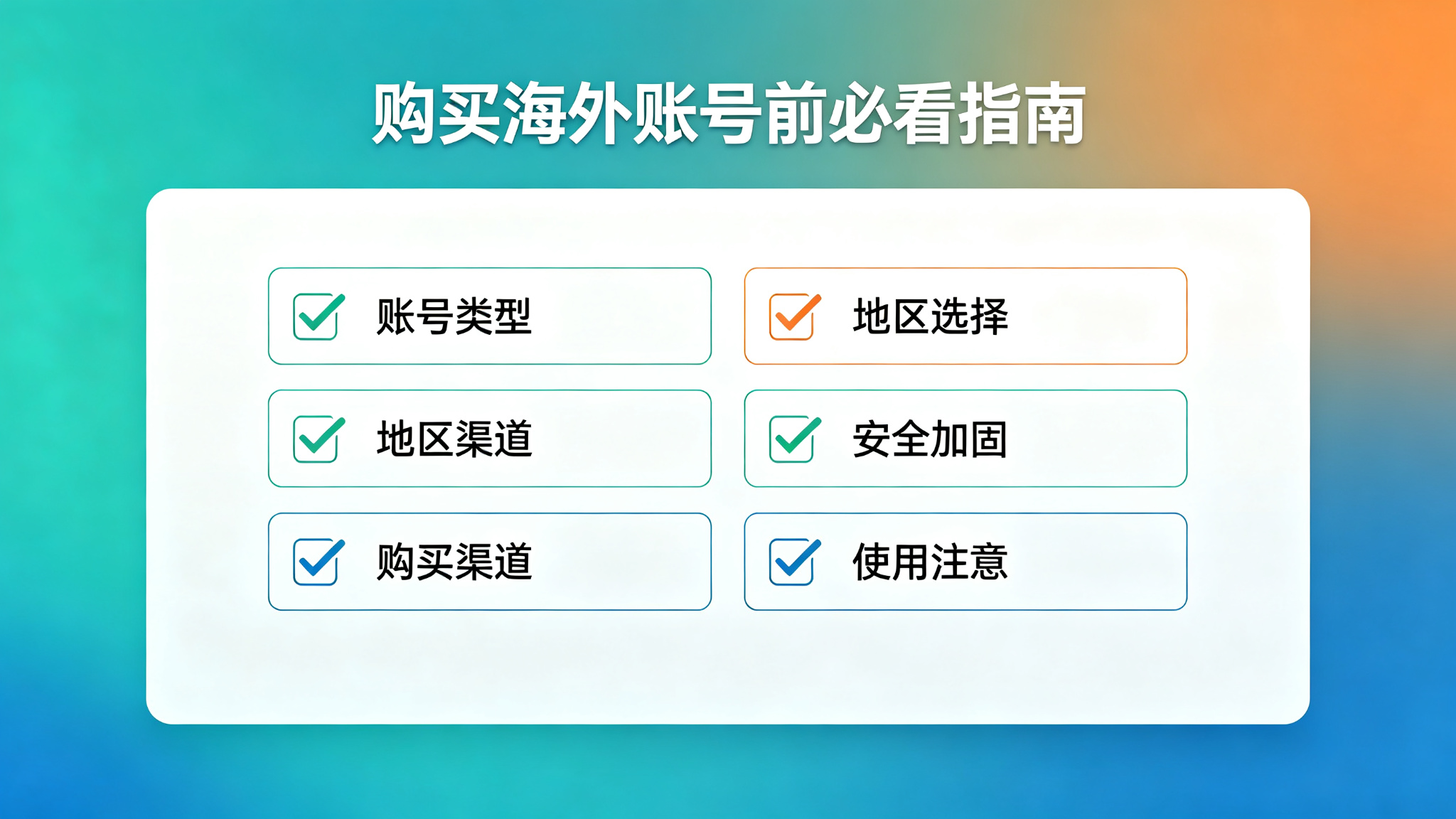
Remember a few key points: Buy the right type, pick the right region, find the right channel, lock it down properly, use it normally.
Do these things — and you can basically use it just fine, use it with peace of mind.
If you haven't bought one yet — give it a try. Spend a few dozen bucks — unlock a whole new world. Total bargain.
Of course — when buying — watch out for scams. Find a reliable channel, buy an exclusive account, test first then scale up, lock it down. That way you can use it with peace of mind.
If you're just a casual personal user — find a reliable established store on Taobao, good value for money. If you're running projects or a business and you need high stability — go straight for a legitimate platform. Don't save pennies on accounts. Your time and data are what's really valuable.
And as always: Start small, test first, then scale up. No matter how good the seller sounds, don't buy in bulk on your first try. Slow and steady always wins.