Complete Guide to Buying Overseas Apple ID on Taobao — 2026 Step-by-Step from Store Picking to Verification
Complete Guide to Buying Overseas Apple ID on Taobao — 2026 Step-by-Step from Store Picking to Verification
A lot of people, when they buy their first overseas Apple ID, buy it on Taobao. After all, Taobao is convenient, there's platform protection, and it seems pretty reliable.
But the water on Taobao is pretty deep too. Some stores are reliable, some are scams. First-time buyers get burned all the time.
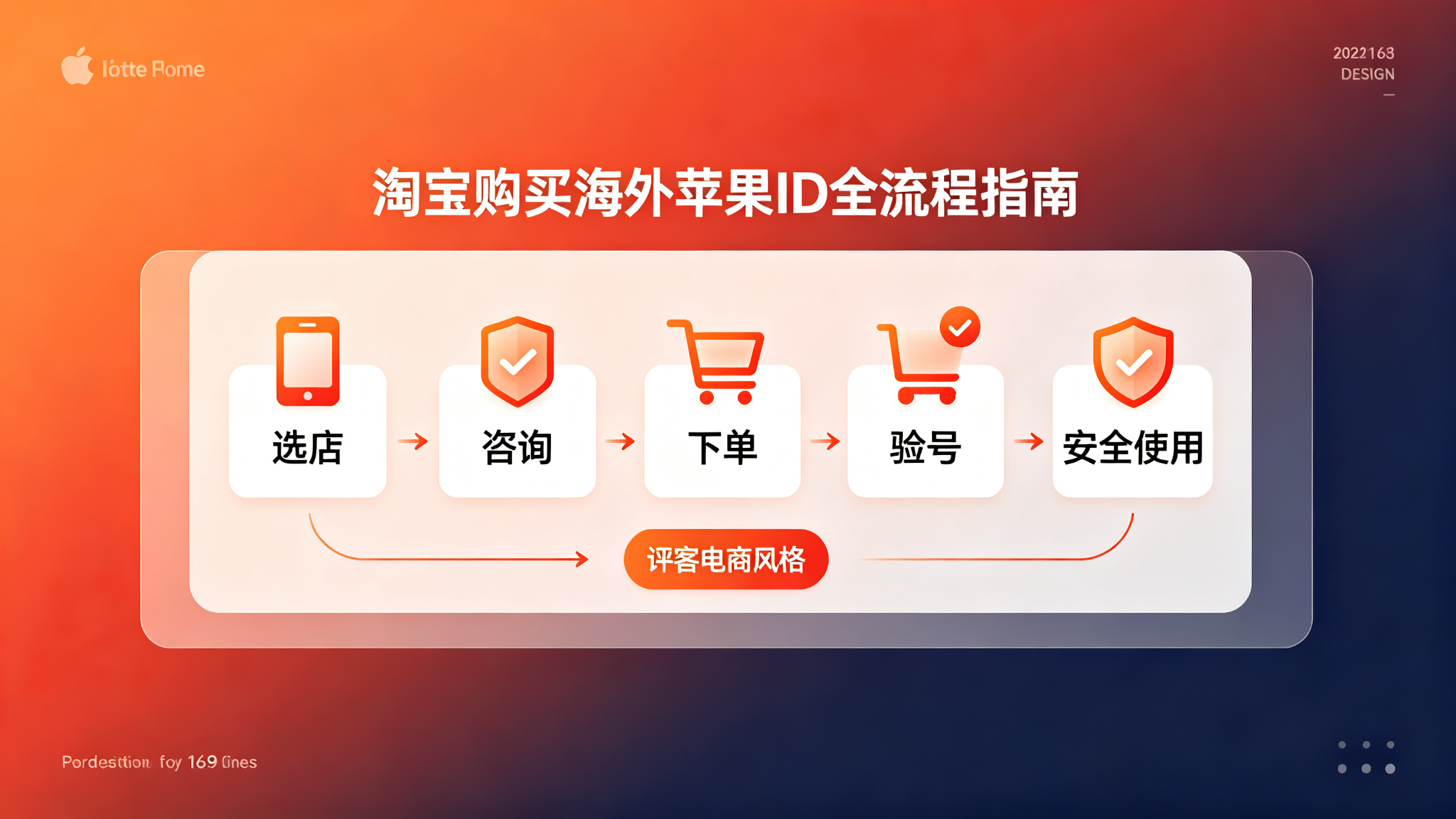
In this article, I'm giving you a complete guide to buying accounts on Taobao — from picking stores, asking customer service, placing orders, verifying accounts, to safe usage. Step by step. Follow this process, and you probably won't get scammed.
Here's the short version: You can buy reliable accounts on Taobao — but you have to know how to pick. Follow the right process, and you'll most likely get a reliable exclusive account.
Step 1: How to Pick a Store?
Search "overseas Apple ID" on Taobao, and you'll find tons of stores. How do you pick the reliable ones?
Look at these things:
Store age
Stores that have been around for several years are relatively more reliable. Brand new stores — be careful.
Why? Because in this industry, if they've been around for two or three years and they're still going — that means their reputation is decent, otherwise they would have gone out of business already. New stores — you don't know if they're serious about it, or if they're just here to scam a bunch of people and leave.
Of course, older stores aren't all reliable either, but the odds are better.
Ratings and reviews
If the rating is too low — pass. But high ratings don't guarantee reliability either. Read the reviews carefully.
Focus on negative reviews and follow-up reviews — especially follow-ups from a while later. It worked fine at first, but then a month later it had problems. Those follow-ups are the most honest.
If all the positive reviews are the same — "works great," "seller was patient," "will buy again" — no specific details, they're probably fake. Real positive reviews usually talk about specific experiences.
Product description
Stores with detailed product descriptions are generally more professional. If the description is super simple, just a few sentences — be careful.
Legitimate stores generally write clearly in the product description what type of account it is, what the warranty policy is, usage notes, etc. Very detailed.
Sales volume
If sales are super high — be careful, might be fake. If sales are too low — also not reliable. Medium sales volume is generally better.
Those with tens of thousands of sales per month — basically fake. This industry isn't that big. A few thousand a month is already a lot.
Price
If the price is too low — there's definitely something wrong. In this industry especially, you get what you pay for.
A few bucks each — don't even think about it, definitely shared accounts. Ten to twenty bucks — probably batch-registered accounts, so-so stability. Fifty to over a hundred — might be legitimate exclusive accounts, but not necessarily. You still have to look carefully.
Don't be cheap. Don't touch the super cheap ones.
Step 2: How to Talk to Customer Service?
Once you've picked a few candidate stores — next step is to talk to customer service. Don't rush to order. Ask all your questions first.
These questions are a must-ask:
Question 1: Is it an exclusive account or shared? Don't listen to "one person one account." Just ask directly: Can I change the password? Can I change security questions? Can I change the rescue email? If you can't change them — walk away. No matter what they say.
Question 2: How are the accounts registered? Ask about the registration method, what kind of phone numbers they use, whether they're legitimately registered or batch-registered. They might not tell you the whole truth, but at least you can see how professional they are.
Question 3: How long is the warranty? What happens if there's a problem during the warranty period? Replacement or refund? What's covered by the warranty? Ask all of this. Don't take "lifetime warranty" too seriously — just hear it, don't believe it.
Question 4: What payment methods do you support? Legitimate stores generally take payment through the Taobao platform. If they ask you to transfer money privately or add them on WeChat — be careful.
Question 5: What do I do after I get the account? Are there any usage notes? Legitimate stores generally give you detailed usage instructions, telling you how to change the password, how to use it safely, etc. If they say nothing and just tell you to use it directly — be careful.
Pay attention to how customer service responds. If they answer smoothly and professionally — then this store is probably okay. If they can't answer, or they hesitate, or they give irrelevant answers — be careful.
Step 3: Ordering and Verifying the Account
Once you've asked everything and it seems okay — you can place your order. But don't buy the most expensive one first. Buy just one — the cheapest option — to test the waters.
After you get the account, don't rush to use it. Verify it first:
Step 1: Try logging in first. If you can't even log in — contact customer service for a refund immediately.
Step 2: Try changing the password. If you can change the password — at least it's not a shared account. After changing the password, log in again with the new password to make sure it works.
Step 3: Try changing security questions and rescue email. If you can change them — that means you have control over the account. Change everything to your own info.
Step 4: See if you can enable two-factor authentication. If you can — definitely enable it. It's the safest way to protect your account.
Step 5: Check the basic account info. Look at the registered region, registration date, whether there are other devices bound to it, etc. It doesn't tell you everything, but at least you can get some reference.
If all of these check out — then this account is probably reliable. If any step has a problem — contact customer service immediately. Either get a replacement or a refund.
Remember — always communicate and transact within the Taobao platform. Don't transfer money privately. Don't add them on WeChat. If something goes wrong, Taobao can help you with a dispute. If you transact privately — if something goes wrong, there's nobody you can go to.
Step 4: Security Hardening
Once verification checks out — next step is security hardening. If you skip these steps, you might as well not have bought the account.
Step 1: Change the password. Make the password complex. Don't use a simple password. Don't use your usual password. Best is a mix of uppercase, lowercase, numbers, and symbols.
Step 2: Change security questions. Change the security questions too — to ones only you know the answers to. Don't use super simple questions, like what's your mom's name. That kind of info might be easy to find.
Step 3: Change the rescue email. Change the rescue email to your own. This is super important. When you forget your password, the rescue email is the key to getting your account back. Definitely change it to your own, commonly used, secure email.
Step 4: Enable two-factor authentication. If you can enable two-factor authentication — definitely do it. Use your own phone number or device to receive verification codes. It's the safest way to protect your account. Once it's enabled, even if someone knows your password, they can't log into your account.
Step 5: Check for other logged-in devices. See if there are other devices bound to the account. If there are — remove all of them. Make sure you're the only one using this account.
After these steps — the account is basically secure. Then you can use it normally.
Step 5: Daily Usage Tips
Once the account is set up — you also need to be careful with daily usage. A lot of people have problems with their accounts not because the account itself is bad — it's because they use it recklessly.
First: Only sign into the App Store. Remember — only sign into the App Store. Don't sign into iCloud. Don't sign into FaceTime. Don't sign into iMessage. If something goes wrong with the account, it won't affect the rest of the data on your device.
Second: Don't go on a downloading spree. Downloading dozens of apps right after you get the account — that's an easy way to trigger fraud detection. Take it slow. Download a few a day. Use it normally.
Third: Don't switch regions frequently. You bought an account for a specific region — stick with that region. If you want a different region — buy another account for that region. Apple doesn't like frequent region switching.
Fourth: Don't do anything that violates the terms. Don't use this account for things that violate Apple's terms of service — like app store manipulation, black market stuff, etc. Getting banned is just a matter of time.
Fifth: Use gift cards for payments. If you're downloading paid apps or making in-app purchases — use gift cards if you can. Don't bind a credit card, especially not your own domestic credit card. Gift cards are simpler — top up what you need, use what you top up. Easier and safer.
From my observation, in 2026, legitimately registered exclusive accounts — with normal use — last for years. Most problems are from people being reckless.
What If Something Goes Wrong?
What if something goes wrong with the account?
First — contact the seller for support. If you're still within the warranty period, the seller will generally replace the account or refund you. Of course, that's assuming the seller is still there and willing to take responsibility.
If the seller disappeared, or they won't help — then contact Taobao customer service to intervene. If you're still within the after-sales period, Taobao might help you get a refund. But if the after-sales period is already over — it gets more complicated.
That's exactly why I keep saying: Find a reliable store. Test first, then buy. Trying to fix it after something goes wrong — it's usually too late.
If the account just got flagged and not banned — you can try appealing. Prepare your purchase records, usage records, send an email to Apple support, explain the situation. There's a chance you can get it back — but it's not 100%.
If the account got banned — then it's basically gone. You just have to buy a new one, and be more careful next time.
Frequently Asked Questions
Q: Are overseas Apple IDs on Taobao reliable?
A: Some are reliable, some are scams — depends on whether you know how to pick. Follow the process I outlined above, and you can avoid most scams. But if you have no clue what you're doing and just buy the cheapest one — you'll probably get scammed.
Q: Is buying on Taobao safe?
A: Relatively safe, since there's platform protection. But it's not 100% safe — there are still lots of scams. And warranties are basically worthless. If the seller runs off, there's not much you can do. So always find a reliable store.
Q: How do I pick a reliable Taobao store?
A: Look at a few things: store age, ratings and reviews, product description, sales volume, price. Look at all of them together. The safest way is still to buy one first to test the waters, use it for a while, and if it's fine, then work with them long-term.
Q: Which is better — buying on Taobao or from a legitimate platform?
A: Depends on what you need. Personal users, budget-conscious, know what they're doing — Taobao is fine, good value. Business users, running projects, need high stability — go with a legitimate platform. Platforms like Getfollow, for example, use exactly this kind of compliant registration plus comprehensive support model. Yeah, they cost more — but they're reliable and you save yourself the headache.
Q: What if the account I bought on Taobao gets banned?
A: First, contact the seller for support. If the seller is still there and willing to replace it or refund you — great. If the seller disappeared — check if you're still within the after-sales period, you can try contacting Taobao customer service. If none of that works — you just have to buy a new one.
Final Thoughts
Buying overseas Apple IDs on Taobao — it's simple in some ways, hard in others. Simple because ordering is easy. Hard because reliable stores are hard to find.
But as long as you follow the right process — pick the store first, ask customer service, test before you buy, lock it down after you get it — you can avoid most scams.
Remember a few principles: Don't be cheap. Buy exclusive accounts. Test first, then scale up. Lock it down after you get it. These principles will help you avoid 90% of the scams.
If you're just a casual personal user, buying on Taobao is fine — good value for money. If you're running projects or a business, go straight for a legitimate platform. Don't save pennies on accounts. Your time and data are what's really valuable.
And as always: Start small, test first, then scale up. No matter how good the seller sounds, don't buy in bulk on your first try. Slow and steady always wins.